RestMemo
Open in App Store

Bring old photos back to life

Repair damage, return true color, and even make a memory move - in seconds, on your iPhone.

Download on theApp Store Your first photo is free.
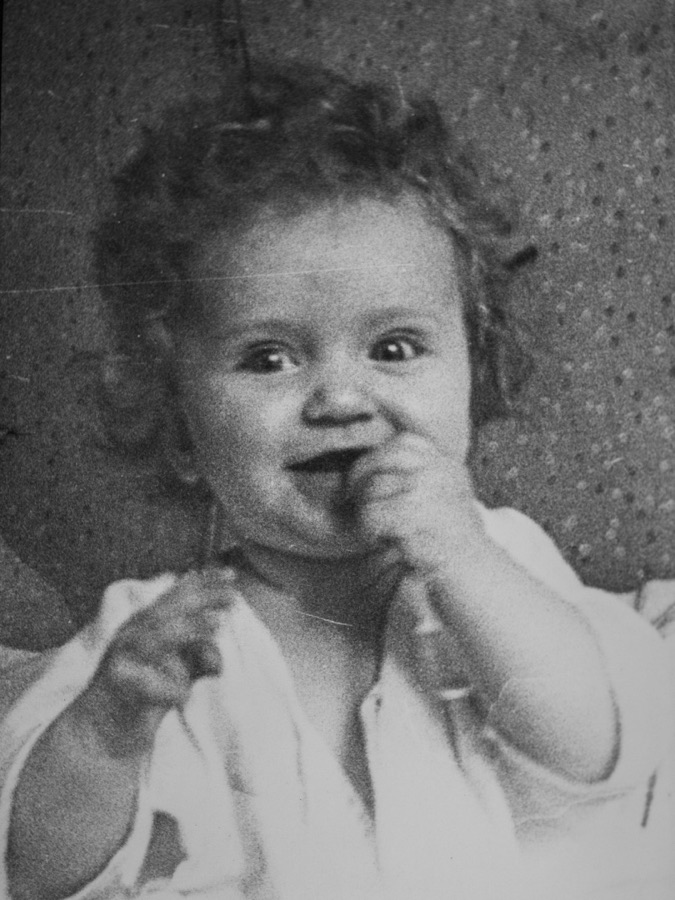
Restored family photo, in color The same photo before - faded
BeforeAfter

Three taps to a restored memory

1

Upload

Any old, faded, or damaged photo - from your library or camera.

2

Restore

The AI mends scratches, lifts the fading, and returns true color in about twenty seconds.

3

Keep

Save it, upscale to UHD, animate it - then share the moment.

See her smile again

Turn a still portrait into a gentle five-second video. The most moving way to relive a moment - a loved one, breathing, once more.

Real restorations

Drag the slider on any photo to see the transformation.

Before → After
RestoredOriginal
BeforeAfter
Before → After
RestoredOriginal
BeforeAfter
Before → After
RestoredOriginal
BeforeAfter
Before → After
RestoredOriginal
BeforeAfter

More than a filter

Restore

Remove scratches, repair tears, fix fading, and bring black-and-white to life in natural color.

UHD upscale

Sharpen and enlarge to crisp, print-ready 4K - clean enough to show on a television.

Live

Animate a still portrait into a short, gentle video you can share anywhere.

Private by design

Photos stay on your device by default. Optional encrypted cloud sync keeps them across your devices. We never sell your data.

Put a memory on the wall

Once a photo is restored, order it as a real gallery-wrapped canvas - frameless, ready to hang, delivered to your door.

  • Gallery-wrapped canvas, printed edge to edge - no glass, no border.
  • Sizes for every wall; you preview the exact crop before you order.
  • Made by professional labs, free worldwide shipping, Apple Pay or card.
A restored photo, ready for canvas

Your memories stay yours

RestMemo is device-first. Your photos are processed securely for restoration and stored on your phone - not mined, not sold. Read our Privacy Policy.

Questions, answered

Is it free? How much does it cost?

The app is free to download, and your first photo is free to restore. After that it runs on credits: one photo is one credit. Packs start at $3.99 for 10 credits - buy once, use them whenever. There is no mandatory subscription.

How do credits work?

One credit restores one photo. A UHD (4K) upscale is 2 credits and a Live animation is 5. Credits never expire - and if a restoration ever fails, you are not charged for it.

Are my photos private?

Yes - RestMemo is device-first. Your photos live on your phone; when you restore one it travels over an encrypted connection purely to generate the result, which comes straight back to you. We don’t keep your photos on our servers afterward, we never sell your data, and there are no ads. See our Privacy Policy.

What do I need to run it?

An iPhone or iPad on iOS or iPadOS 17 or later. Everything happens inside the app - no extra hardware or computer.

What kinds of photos can I restore?

Almost any old photo - faded, yellowed, scratched, torn, water-damaged, or black-and-white. It works on phone snapshots and on photos you take of old printed pictures. JPEG, PNG, and HEIC are supported.

Can I order a printed canvas?

Yes. After restoring a photo you can order it as a gallery-wrapped canvas - frameless and ready to hang - in a choice of sizes, with free worldwide shipping. You preview the exact crop first and pay securely with Apple Pay or card. See our Terms.

Do I need an account? Can I recover my photos on a new device?

No account or password required. Credits sync across your Apple devices automatically, and “Restore Purchase” brings them back after a reinstall. For your photos, the optional RestMemo Cloud ($0.99/month) keeps them synced and safe across devices.

What languages does it support?

Around thirty. The app matches your device’s language and falls back to English if yours isn’t supported yet.


Bring your memories back to life

Restore your memory.